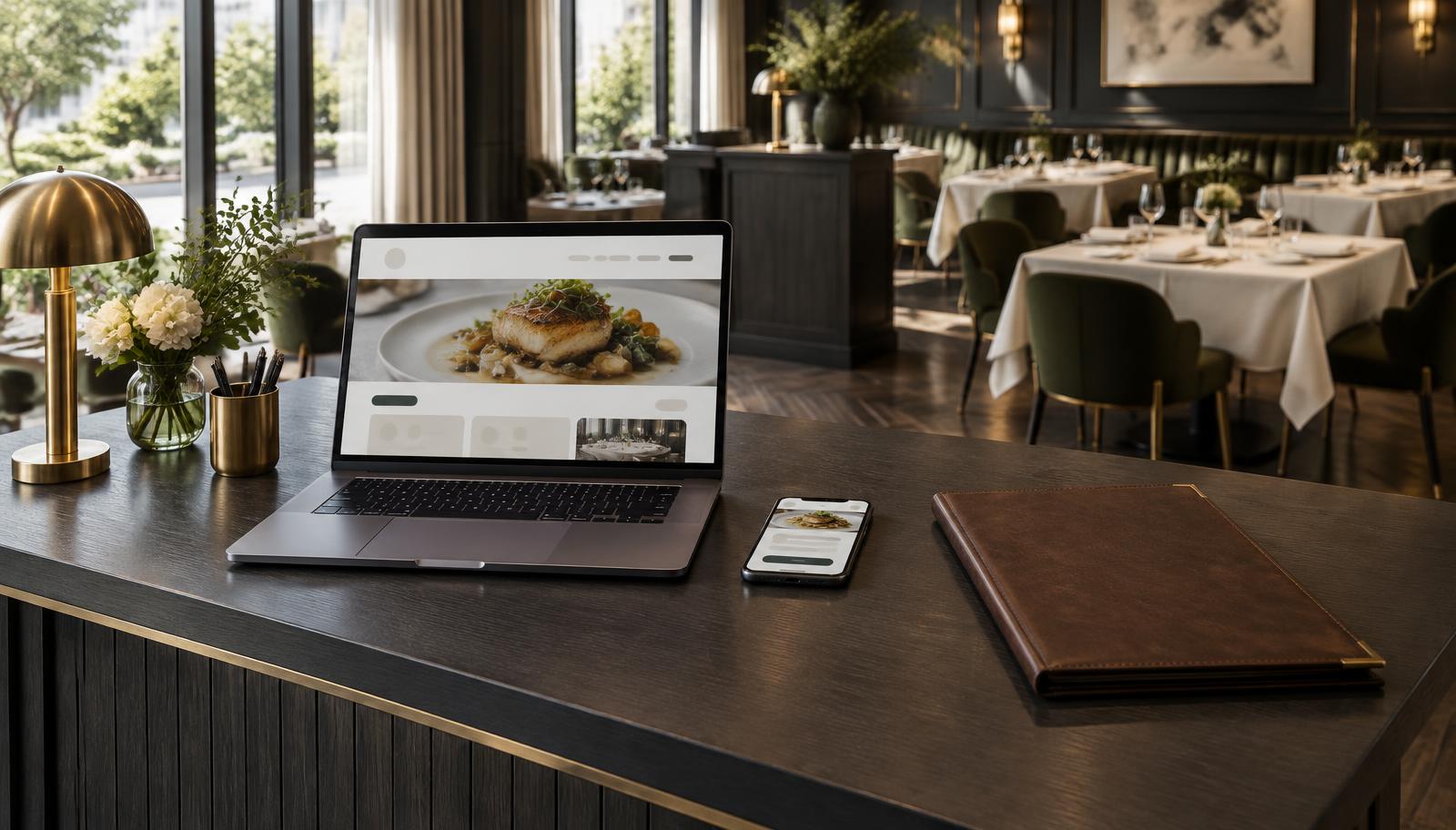
Restaurant Websites
Restaurant website redesign: protect the menu, bookings and search
A new website should make choosing and booking easier, not erase the useful parts of the old one. This is an operator’s checklist for deciding what needs rebuilding, protecting search visibility and knowing when the new site is genuinely ready to launch.

Alex Opsenica · Founder, Moolah Media
On this page
A restaurant website redesign has two audiences: the guest trying to read the menu and the team trying to keep service moving. A striking homepage is welcome. A broken reservation link, a missing private dining page or an old QR code that no longer opens is not. Judge the new site by the decisions it helps a guest make, and by whether the team can keep it accurate afterwards.
Key takeaway
Keep useful URLs where possible. Map changed pages to their closest replacement. Test the menu and the complete booking journey on a phone. Do not launch until someone owns the redirect checks, account access and post-launch monitoring.
Do you need a rebuild, or a focused repair?
Looking dated is not, on its own, a reason to replace every page. Separate the visual problem from the structural one. A difficult-to-read menu may need a better menu page. An oversized video may need optimisation. Neither automatically requires a new platform. A rebuild is more defensible when the current system prevents the restaurant from publishing accurate content or offering a usable guest journey.
| Problem | Try first | Consider a rebuild when |
|---|---|---|
| Slow mobile pages | Reduce oversized media and unnecessary scripts | The platform prevents meaningful improvements |
| Outdated menu | Publish a readable, maintainable menu page | Staff cannot update it without rebuilding the page |
| Guests cannot book | Repair the link or reservation integration | The layout or platform makes the journey persistently unusable |
| Weak search visibility | Review content, indexing and local relevance | Important pages cannot be made accessible or indexable |
| Inconsistent venue information | Agree a content owner and correct the records | The system cannot support separate, accurate location pages |
Slow mobile pages
- Try first
- Reduce oversized media and unnecessary scripts
- Consider a rebuild when
- The platform prevents meaningful improvements
Outdated menu
- Try first
- Publish a readable, maintainable menu page
- Consider a rebuild when
- Staff cannot update it without rebuilding the page
Guests cannot book
- Try first
- Repair the link or reservation integration
- Consider a rebuild when
- The layout or platform makes the journey persistently unusable
Weak search visibility
- Try first
- Review content, indexing and local relevance
- Consider a rebuild when
- Important pages cannot be made accessible or indexable
Inconsistent venue information
- Try first
- Agree a content owner and correct the records
- Consider a rebuild when
- The system cannot support separate, accurate location pages
Write the brief around guest decisions
List what guests need before they commit: cuisine, current menu and prices, location, service times, accessibility information the team can verify, booking availability and the details of any genuine group offer. Give each item a destination. A single sentence about private dining is not a substitute for the capacity, terms and enquiry route an organiser needs.
An operator’s redesign brief
- Which guest actions must work: table booking, group enquiry, calling, directions and ordering where offered
- Which menus need separate pages, and who updates each one
- Which occasions and private spaces genuinely exist
- Which locations need distinct information and booking destinations
- Which photographs are approved and show the actual venue
- Who supplies and signs off prices, hours and access information
- Which accounts and integrations the restaurant already controls
- What the supplier hands over, and who maintains the site after launch
Ask the supplier to demonstrate updates using your real content. Can a manager change a dish price, replace a seasonal menu or amend a service time without redesigning the page? Agree the editing boundary before paying for a layout that nobody on the team can maintain.
Inventory the old site before anyone deletes it
Use the existing sitemap, Search Console page report, analytics where available and a crawl to build the old URL list. Add links not always visible in navigation: menu files, campaign pages, location pages, gift-voucher destinations and the URLs behind printed QR codes. Search traffic is one reason to keep a page; a bill folder or confirmation email still sending guests there is another.
| Old destination | Decision | Launch evidence |
|---|---|---|
| Main menu page | Keep URL or redirect to the equivalent menu | Opens with current dishes and prices |
| Private dining page | Preserve the offer and enquiry route | Correct room details and working form |
| Individual venue page | Keep a venue-specific replacement | Correct address and booking destination |
| Old PDF menu | Update file or redirect to the relevant current menu | Printed and saved links still make sense |
| Retired offer with no equivalent | Agree an honest removal | Not redirected to an unrelated homepage |
Main menu page
- Decision
- Keep URL or redirect to the equivalent menu
- Launch evidence
- Opens with current dishes and prices
Private dining page
- Decision
- Preserve the offer and enquiry route
- Launch evidence
- Correct room details and working form
Individual venue page
- Decision
- Keep a venue-specific replacement
- Launch evidence
- Correct address and booking destination
Old PDF menu
- Decision
- Update file or redirect to the relevant current menu
- Launch evidence
- Printed and saved links still make sense
Retired offer with no equivalent
- Decision
- Agree an honest removal
- Launch evidence
- Not redirected to an unrelated homepage
Google advises changing one thing at a time where possible during a site move. A redesign does not require a new domain or new paths. Keeping a useful address reduces the number of moving parts. If URLs must change, the migration plan belongs in the brief, not in a conversation after launch.
Source: Google Search Central — Site moves with URL changes — Planning, URL mapping, staged changes, monitoring and keeping redirects generally for at least a year.
Protect the menu and the reservation journey
Publish the core menu as readable page text, with a PDF available as an additional download if useful. PDFs can be indexed by Google; the practical issue is that some are hard to read and navigate on a phone, especially scanned images. Check actual readability rather than assuming a file format alone decides whether a menu can appear in search.
Follow the booking journey beyond the first button. Does the reservation provider open the right venue? Can the guest choose a real service and receive a confirmation? Does a full service offer a sensible alternative? Do group enquiries reach the right person? A booking-button click is an intermediate action, not a confirmed reservation.
Source: Google Search Central — File types indexable by Google — PDF is an indexable format; mobile usability and readable content still need separate checks.
Example · hypothetical
A hypothetical two-venue launch check
A restaurant group rebuilds its website while keeping the same reservation provider. Both new venue pages look correct, but the second venue’s booking button opens the first venue’s calendar. A homepage check would miss it. A per-location test catches the mistake before guests reserve the wrong restaurant. This is an illustrative failure scenario, not a client finding.
Test like a guest, not like the designer
- Open the menu from a search result or saved old link on mobile data
- Read dishes and prices without pinching an image
- Follow the reservation link for every venue and complete an authorised test
- Check success messages and confirmation delivery where a test is permitted
- Use the group enquiry form and verify its destination with the owner’s approval
- Try the phone, directions and ordering links
- Check keyboard navigation and whether forms have understandable labels and errors
- Repeat with cookie consent declined so essential actions do not depend on tracking
Make the search checks part of launch approval
For permanent URL changes, Google recognises permanent server-side redirects such as 301 and 308. Each valuable old page should lead directly to its closest relevant replacement. Redirecting every missing page to the homepage can confuse guests and can be treated as a soft 404. If an offer has genuinely gone and there is no relevant replacement, return a proper 404 or 410 response with a helpful page—not an error message disguised as a successful page. Update internal links too, so the new site is not depending on redirects for its own navigation.
Source: Google Search Central — Redirects and Google Search — Permanent redirects, relevant destinations and the distinction between permanent and temporary moves.
Source: Google Search Central — HTTP status and network errors — How Google handles missing pages and error responses, including 404, 410 and soft 404s.
The supplier’s technical sign-off
- Important old URLs return the correct page or one direct permanent redirect
- Public pages are not accidentally noindex or blocked from crawling
- Titles and descriptions describe each page distinctly
- Canonical URLs use the intended live domain and page
- The sitemap contains live, indexable destinations
- Visible venue details and restaurant structured data agree
- The menu and booking pages are tested for mobile loading and stability
- The live site is checked again after deployment, not only in a private preview
Use PageSpeed Insights as diagnostic evidence, not a launch trophy. Its lab score is not a booking count. Core Web Vitals describe loading, interactivity and visual stability; check real-user data where available and inspect the menu and reservation pages, not just the homepage. A lack of field data is a lack of evidence, not an automatic pass. Passing performance checks does not guarantee a ranking or a booking increase.
Source: Google Search Central — Core Web Vitals — What the three real-world page-experience measures assess.
Agree the handover and the stop-launch conditions
The restaurant should control its domain and the accounts needed to operate the site. Agree recovery access, renewal responsibility, backups and supplier permissions. Do not paste passwords into the content brief. Keep credentials in a secure account-management process and establish what happens when a member of staff or supplier leaves.
Worth avoiding
Stop the launch if bookings open the wrong venue, essential old links fail, pages intended for search remain accidentally blocked or noindex, enquiry delivery is unverified or the restaurant cannot recover its own accounts. These are functional failures, not finishing touches. Keep private and confirmation pages excluded deliberately; the goal is not to index every URL.
Keep the development copy private. A robots.txt block alone does not guarantee a URL stays out of search; use appropriate access protection for a private staging site. Before launch, agree a rollback plan and keep the previous site and relevant settings recoverable. If a domain switch is involved, the supplier should preserve email-related DNS records as well as changing the website records. Check that the restaurant can still receive enquiries after the switch.
A launch record you can copy into a spreadsheet
Source: Google Search Central — Block indexing with noindex — A robots.txt block is not a reliable indexing exclusion; a crawler must be able to read noindex.
Use one row per page or guest action: old URL or action · new destination · expected result · test device · actual result · person responsible · checked date · pass or unresolved issue. ‘Booking works’ is too vague. ‘Donnybrook booking button opens the Donnybrook calendar on a phone’ is a result another person can verify. This is a suggested working format, not a client audit extract.
Read the first month without inventing a result
Record the launch date and the changes made. In the first days, watch failures and guest reports. Over the following weeks, compare Search Console pages and queries, reservation activity and qualified enquiries against an appropriate baseline. Keep seasonal demand, paid campaigns and service availability in view. A traffic change after a redesign does not, by itself, prove the redesign caused it.
See this in practice
Building local search infrastructure from the ground up.
Premium steakhouse group · name withheld · Dublin 2
33 → 47Domain Authority · recorded in Moz Domain Authority
Fifteen months of local search infrastructure: Domain Authority 33 to 47, linking domains 104 to 197, 83% map pack coverage.
Read recorded local-search infrastructure outcomes—not a redesign experimentKey takeaway
A good redesign leaves the restaurant with clearer pages, working guest actions, preserved routes and control over future updates. The launch is finished when those are verified—not when the homepage receives its first compliment.
Common questions
Will a restaurant website redesign hurt SEO?
It can disrupt visibility if useful pages disappear, URLs change without relevant redirects or the new site is accidentally blocked from indexing. Keep useful paths, test the migration and monitor afterwards. Even a careful URL move can produce temporary search fluctuations.
Should we change the domain during a redesign?
Only if there is a separate business reason. A redesign can keep the existing domain and URLs. Changing the domain, platform and page structure together creates more variables to test and makes problems harder to diagnose.
How long should website redirects stay live?
Google recommends keeping site-move redirects for as long as possible, generally at least one year. Keeping useful redirects longer also protects saved links, printed QR codes and old emails.
Can Google read a PDF restaurant menu?
Google can index PDFs, particularly those containing readable text. That does not make every PDF easy to use on a phone. Publish a readable menu page for the main guest journey and offer a current PDF as an additional download where useful.
What should we ask for at handover?
Control of the domain and necessary accounts, a documented editing process, renewal and maintenance responsibilities, backup and recovery arrangements, the URL migration register and evidence that the live booking and enquiry routes work.
Working on this yourself? Restaurant website design and build.
Written by
Alex Opsenica
Founder, Moolah Media
Founder of Moolah Media, a founder-led restaurant marketing specialist based in Ireland, working with restaurants worldwide on websites, SEO and Google Maps, and Google Ads. Around 20 years in hospitality, including hands-on restaurant management.
Continue exploring
Restaurant Websites
Restaurant menu pages that search engines can actually read
Menu pages are the most-visited page on most restaurant sites, and usually a PDF. How to build one that works for guests and for search.
4 min readPublished 7 Apr 2026
Read Insight
Restaurant SEO
How to rebrand a restaurant without losing search visibility
A sequenced restaurant rebrand SEO checklist for Google profiles, reviews, domain redirects, listings, analytics and launch-day checks.
7 min readUpdated 3 Oct 2026
Read Insight
Restaurant Websites
Restaurant website speed: why a slow site quietly costs bookings
Most restaurant websites fail Google's mobile speed checks. Why slowness costs real bookings, what causes it, and what to fix first — in plain language.
4 min readPublished 23 Sept 2026
Read Insight